

| Product Condition | New original or used original. Please confirm the condition with us before ordering. |
| Shipping Information | Ships from Shanghai, China. Delivery lead time: 3-5 working days after order confirmation. Worldwide delivery by DHL / FedEx / UPS, with the cable coiled and both connectors capped for transport. |
| Buyer Benefits |
|
| Item Location | Ships from Shanghai, China. |
| Payment Information | PayPal / T/T / Alibaba Trade Assurance. |
12,000+ parts in stock,Tested before shipping,Reply within 24 hours
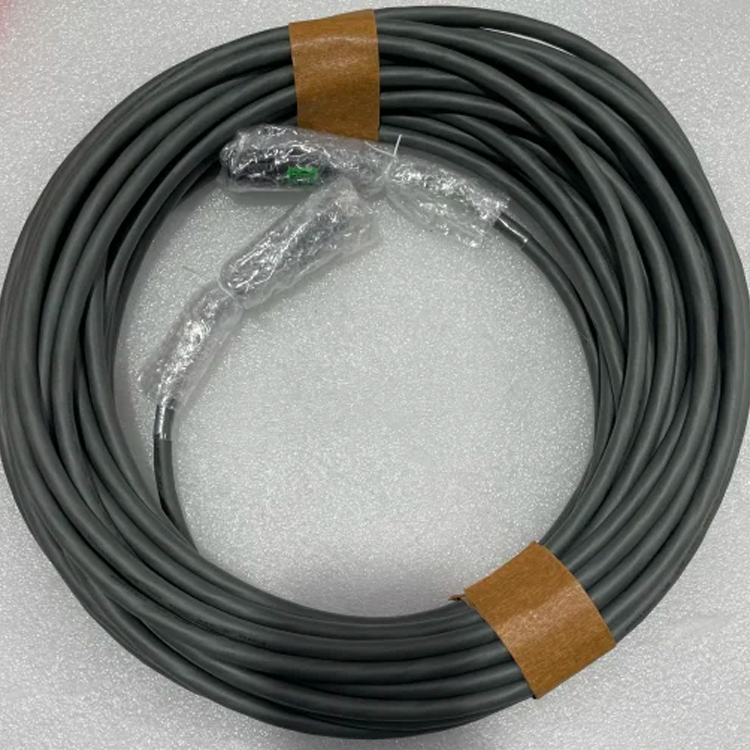
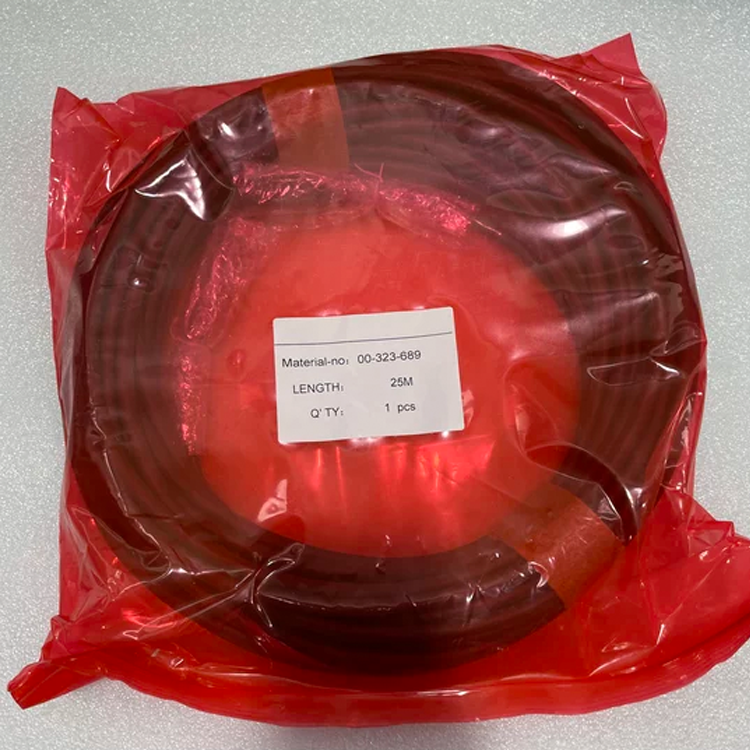
Inquiry00-323-689 is the KUKA Cable 25m BUS-smartPAD, the connecting or extension cable for the smartPAD teach pendant. KUKA's official product page lists it under article number 323689 and describes it as a cable with a plug-in connection at both ends that can be used for all KUKA smartPADs of the corresponding version. KUKA's cable catalogue also lists a separate BUS-smartPAD EXT cable at the same length and its own article numbers for other lengths, so the number on the fitted cable is what decides the match. Send us the article number from the cable label, the smartPAD model, the controller nameplate and photos of both connector ends, and we confirm the cable before you order.
| Manufacturer | KUKA (original spare part) |
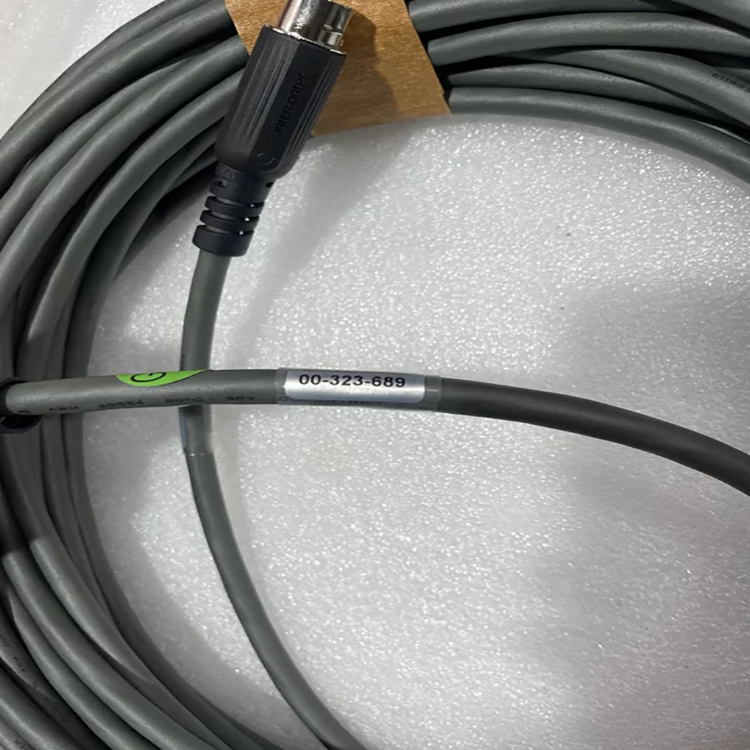
| Part Number | 00-323-689 |
| KUKA Article Number | 323689 on the my.KUKA official product page. Send us the number on your cable label and we confirm the part before you order. |
| KUKA Designation | Cable 25m BUS-smartPAD (my.KUKA official product page) |
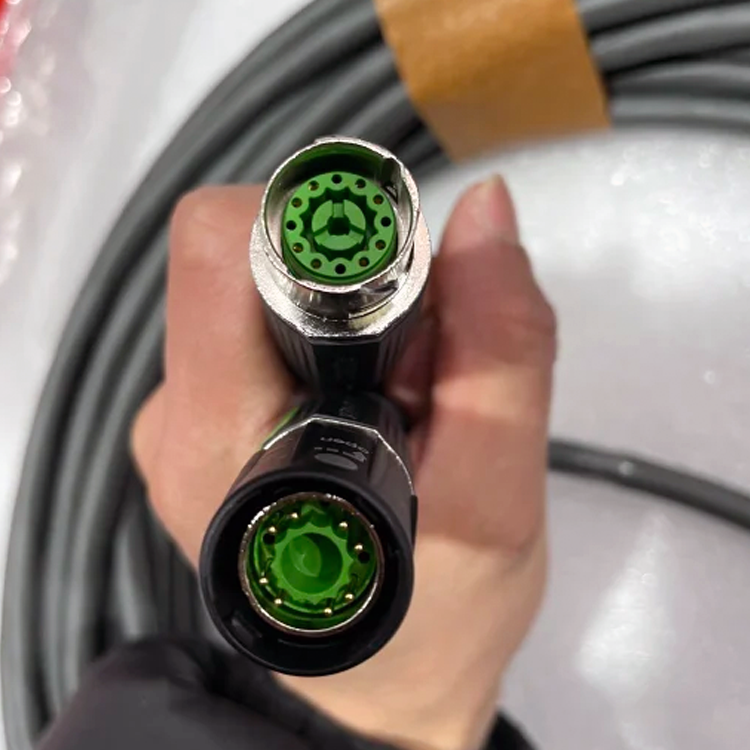
| Official Description | The connecting or extension cable has a plug-in connection at both ends and can be used for all KUKA smartPADs of the corresponding version (KUKA official wording) |
| Product Type | Connecting or extension cable for the smartPAD teach pendant, with plug-in connectors at both ends |
| Different Parts | Cable 25m BUS-smartPAD EXT (00-174-902) is a different part in the same KUKA cable family, and other cable lengths carry their own article numbers |
| Controller Fit | KUKA controllers with a smartPAD teach pendant of the corresponding version. Send us the pendant model and the controller nameplate and we confirm the version before you order. |
| Fit Confirmation | Send us the article number from the cable label, the smartPAD model, the controller nameplate and photos of both connector ends. We confirm the cable before you order. |
| Condition | New original or used original. Please confirm the condition with us before ordering. |
Send us the article number from the cable label, the smartPAD model, the controller nameplate and photos of both connector ends, and we confirm the match before you order.
The smartPAD bus cable is the physical link that carries operator input and robot status between the teach pendant and the control cabinet. A sound, well-shielded cable keeps teaching, jogging and program editing live without dropouts. Because the connection is a plug-in at both ends, the same cable serves the direct pendant connection and the extended position, which is what makes it useful in cells where the pendant has to reach further than the cabinet. This link also carries the pendant's emergency stop, the enabling switch and the mode selector, so the cable is part of the safety chain rather than a plain data lead - a link that has been renewed has to be checked before the pendant goes back into use. When the original cable is damaged, this replacement restores that link on the same pendant version, without changing the pendant or the control cabinet. Send us the article number from the cable label and the smartPAD model, and we confirm the cable before you order.
When the pendant does not come on, the cable is the first thing to check: see whether the fault changes when the cable is moved, and whether the same pendant behaves normally on a second controller. Send us the fault code shown on the pendant, the smartPAD model, the controller nameplate and photos of both connector ends, and we confirm the cable before you order. After the cable is exchanged, isolate and lock out all supplies, route the new cable along the original path without tight bends, seat the shield in the cabinet end clamp, and reconnect both plugs. Then follow the KUKA operating instructions for the pendant: plug it back in, stay with it until the emergency stop and the enabling switch function again, verify the mode selector and jog in teach mode, and run one full cycle before returning to automatic production.
Request a quote for current pricing and lead time – send us the article number from the cable label, the smartPAD model, the controller nameplate and photos of both connector ends, and we confirm the BUS-smartPAD cable before you order.
If you have any suggestions, please contact us
Contact Us
